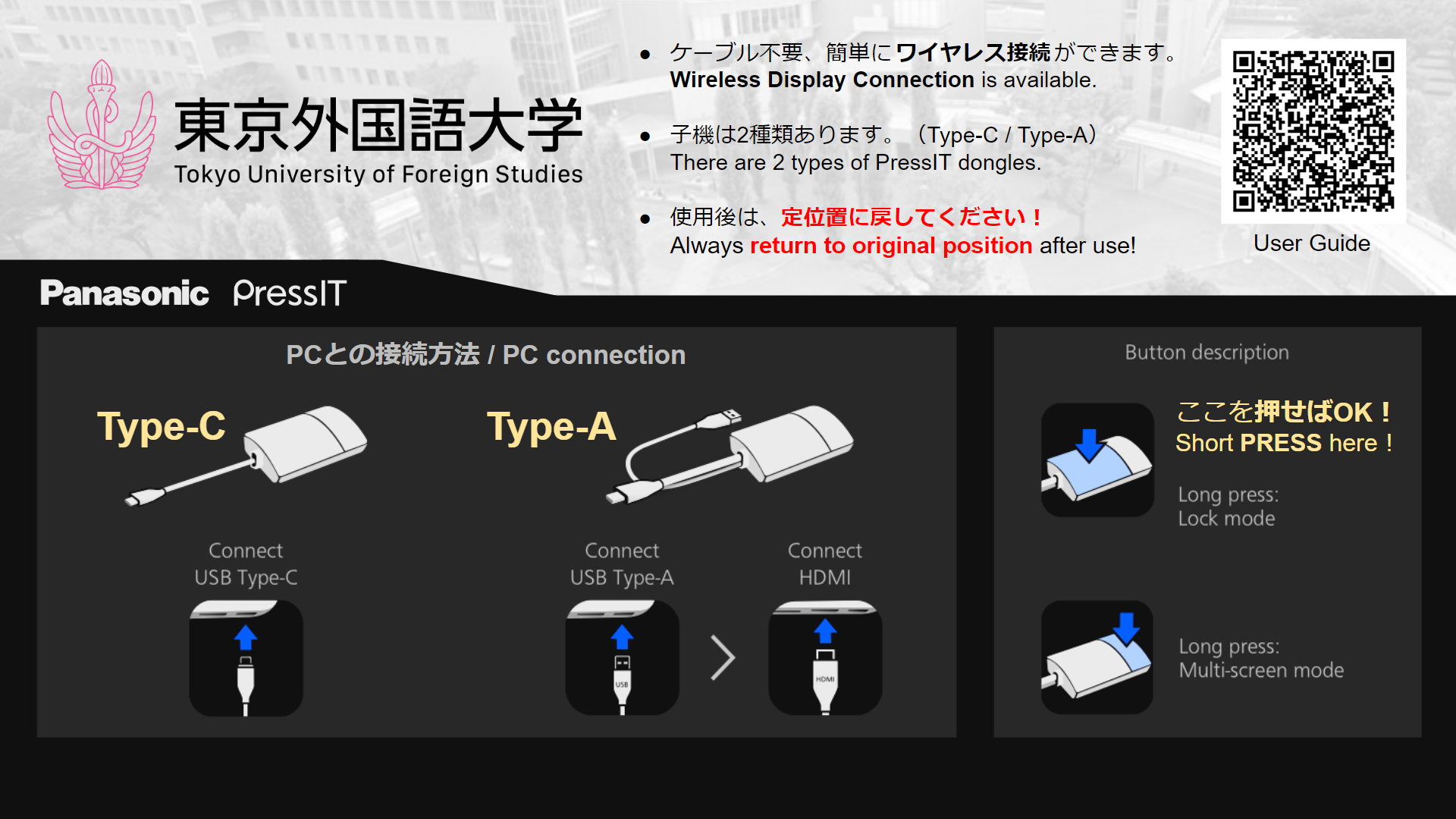

- PressIT送信機を、格納場所(AVラック内/ケース内など)から取り出して、PCに接続してください。
- The LED in the center of the PressIT transmitter will flash red, please wait a moment.
- When the center LED turns white, press around the LED.
- When the center LED turns green, the PC screen is projected onto the screen.
request
Be sure to return it to its original place after use.
Occasional problems
- In rare cases, it may not be usable due to compatibility issues with the PC.
- If the center LED "flashes" green, the HDMI signal connection has an error.Connect the HDMI terminal again slowly and deeply.If the problem persists, use another connection method, such as a wired connection via HDMI, as there may be a compatibility problem with the PC. In addition, since there is a possibility of poor contact (terminal failure), please inform the Educational Informatization Support Office.